Introduction:
Hello once again, we are quite a bit focus on finishing tutorials about lidars. These kinds of sensors are important because SLAM in R.O.S rely much about the use of it. As much as possible we are trying to choose, reverse engineer , economize the build of our rotating laser sensors. Our purpose is to craft and replicate lidars into a more affordable and efficient distant ranging sensors. Otherwise, though robotic is interesting, not everybody will be doing industrial robots because of cost and that is not practical for a mass patronage.
For a few days we had already tackle introduction and hands on tutorial as motivational guide for a hobbyists to start using R.O.S. After familiarizing the usefulness , we will proceed to interfacing encoders and motors to relate the actuation ,speed,revolution of motors when running,this time all are test and first. Next step is to put wheels on the chassis and see for our selves how our code able to simulate movement of the robots from the visualized GUI to what we are able to observe it in a real world action.
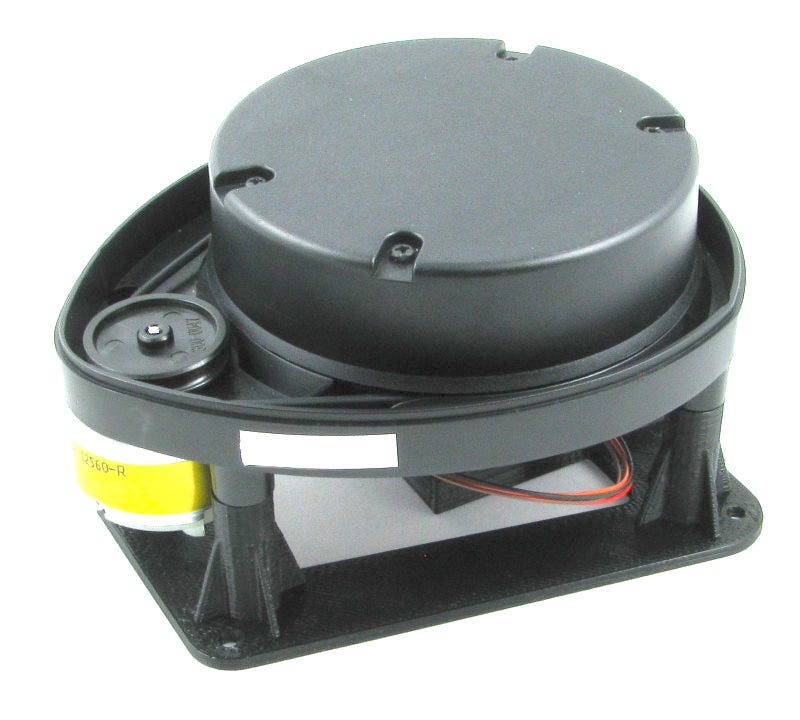
One of the cheapest and known lidar was the Neato XV11 lidar, this was because a vacuum cleaner robot was deployed world wide so old machine produce stocks of 2nd hand lidars. We choose this surplus or second hand lidar because of course it is cheaper and its hacks had complete documentations on the internet , so not a bad choice for us Filipino.
I have just bought Neato XV11 lidar recently and saw a lot of tutorials on the internet and am glad about it. One I have observed was that it needs to power source 5V and 3.3V other hobbyist tried to isolate the source so they needed two modules (DC-DC step down and USB-to Serial), but its obvious that USB-t Serial module has 5V/3.3V so it is perfect for the Lidar power requirements.The rest are instruction to be discussed below. Hope we can get more units as stocks online :)
Requirements:
Neato XVII Lidar
ROS Kinetic
Ubuntu 16.04
USB to Serial module with 5V and 3.3V
Objectives:
Methodology:
Summary:
Trouble:
Shooting:
Conclusions:
It is ideal cost effective LIDAR for hobbyist.